
Name-Based Case Searches
Begin at Utah Courts Xchange. Pick District or Justice Court, then choose all cases or judgments. Type a surname or business name into Last name/Company. Add a first name for a person and a wildcard when only part of the name is known. Set Search Scope to Piute County or its court location. Narrow by case type and date before the billable Search click. A bare name often drags in strangers who share it. Before digging deeper, confirm the court, case number, filing date, case type, party role, and caption. Xchange caps results at 500. A broad surname may need a tighter date range or court scope.
- Open Xchange and select the likely court level.
- Enter Last name/Company, then First Name if useful.
- Filter by Piute location, case type, and date range.
- Open the matching Case History/Documents link.
| Field Label | Type | Required | Notes |
|---|---|---|---|
| Last name/Company | Text | Search dependent | Holds a surname or business name. |
| First Name | Text | Optional | Wildcard search is supported. |
| Jurisdiction / Case Type | Selector | Optional | Separates court level and category. |
| Date Range | Date | Optional | Filters filings, dispositions, or judgments. |
Piute County Case Search Access
The Xchange gateway offers Guest, Pay Now, Login, and Get Started routes. A one-time guest session suits an occasional Piute County docket search. Registered access fits repeat use. Charges apply when a search is submitted, and document images cost $1 where a link is available. The official access page lists the current account options. Parties should check MyCourtCase before paying anything. That free service can give eligible parties history, filed papers, payments, linked cases, alerts, and filing status for their own matter.
Piute County Case Search Gateway
The official Xchange gateway lays out the Guest, Pay Now, Login, and Get Started choices that come before any Piute County docket search.
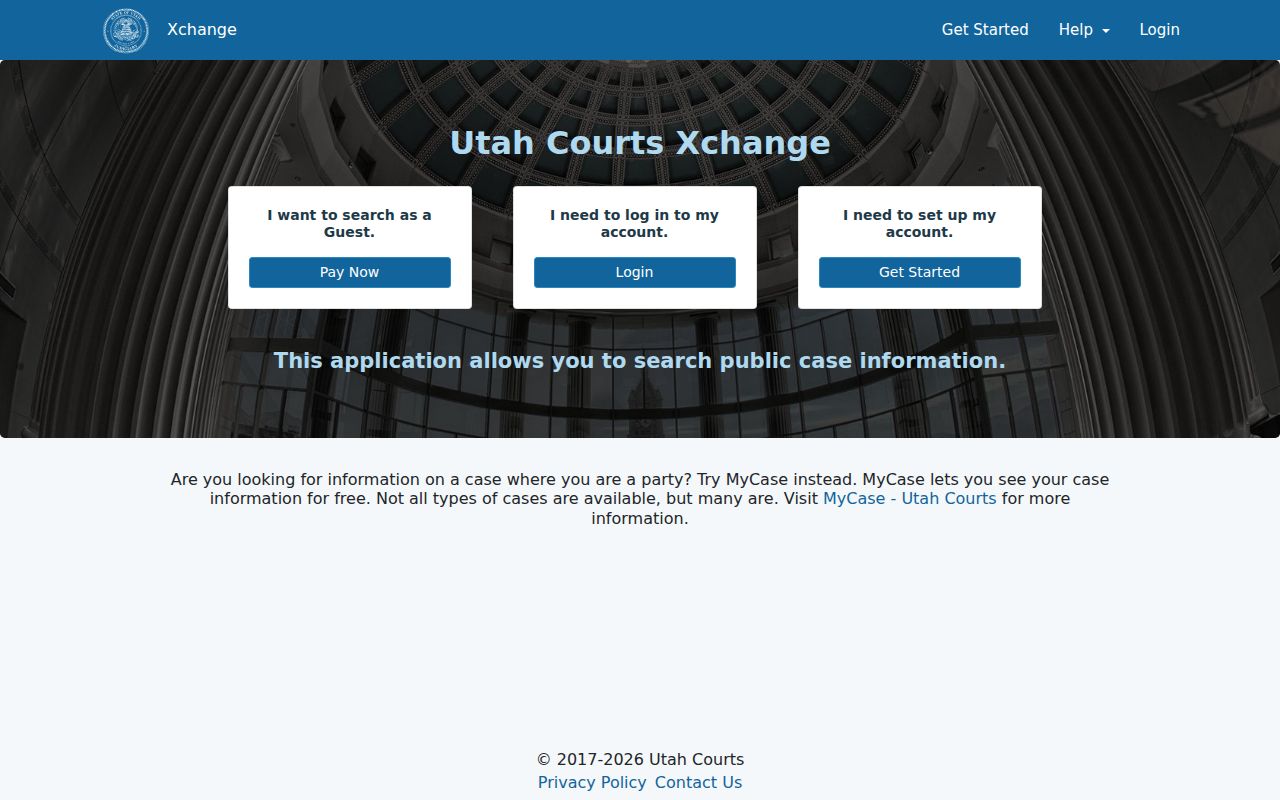
The gateway treats public searching, account access, and case payment as separate tasks. That framing helps a reader pick the right route from the start.
Case Number Searches
A case number straight from a notice or filed paper is the cleanest key. Utah numbers follow a compact pattern like YYMMNNNNN. Enter it exactly as shown. Pick the court location attached to it. Without that location, a number can turn ambiguous in statewide court tools. Keep citation numbers out of this field; they belong in their own. If the exact number returns nothing, recheck the copied digits, punctuation, and court level. A Justice Court matter stays invisible under a District-only choice. Fall back to a party and date search. Then compare the returned number against the source paper.
Piute County Case Search Locations
A case number can look complete. It may still need its court location. Both District Court and Justice Court feed data to Xchange. Utah's payment tool gives the same warning. A number is not unique without its court. Choose Junction District Court for a felony, class A misdemeanor, or general civil matter. Choose Piute Justice Court for lower misdemeanors, infractions, traffic, ordinances, and small claims.
Quick check: If the number fails, change the court level before changing the digits.
Case Search Results Explained
Each result row names the county, court location, case type, case number, filing date, parties, and party codes. Case History/Documents opens the detail behind the row. There the public data can include the judge, attorneys, hearings, proceedings, charges in a criminal matter, judgment or disposition, account entries, and document links where available.
| Case Number | Utah file number and linked court location. |
|---|---|
| Style / Parties | Caption, names, and party-role codes. |
| Case Type | Criminal, civil, domestic, probate, traffic, or small claims code. |
| Filed Date | Date the matter entered the court system. |
| Proceedings | Dated hearings, filings, orders, and results. |
Piute County Case Search Documents
Case History/Documents is the bridge from a result row to the proceedings themselves. It can show a chronological event index. It also lists the judge, parties, attorneys, hearings, disposition, account, and public image links. A civil view may add motions, notices, orders, due dates, judgments, and post-judgment action. A criminal view may add charges, severity, plea, citation, agency, sentence, and bond entries. Read the date and event together. A motion is a request, not an order. A past setting does not prove the next court date. A code never replaces the full judgment. Turn to Utah Court Calendars for the current setting. Request a clerk-certified copy when you need an official court record.
Two Ways to Search: County and State
Piute County runs no separate public case portal. Xchange serves as the statewide search. It covers public District and Justice Court information that local staff enter into CORIS. The Junction clerk is the local fallback for record requests and certified copies. The two channels reach the same court system rather than competing databases.
| Statewide Xchange | Piute Clerk Channel |
|---|---|
| Public District and Justice Court data | Local Piute file and staff confirmation |
| Searchable case history and available images | Copies, certified records, and older-file help |
| Best for name, number, and date searching | Best when a known Piute case is thin or absent |
Free Piute County Case Search
Utah Courts provides free Xchange access at most District courthouses. It says some Justice Courts may offer it too. The Utah State Law Library also has public computers with free access. For Piute County, call 435-577-2840 first. The county warns that court appearances run by schedule only. Never assume the counter takes an unscheduled visit. The courthouse sits at 550 North Main in Junction, with mail addressed to P.O. Box 99, Junction, Utah 84740. Staff can help locate a public record when a computer search is impractical. They cannot unlock a restricted case for anyone.
Which Cases Stay Restricted
Xchange locks away more than sealed and expunged cases. Juvenile delinquency, child-welfare matters, termination proceedings, adoptions, civil commitments, and some private domestic records stay out of public view too. Even so, a case history can stay public after a domestic filing goes private, and sensitive identifiers get redacted from the filings anyone can see.
Authorized persons can request restricted access under Utah Rule 4-202.03 by showing identification. Everyone else must follow the motion or petition route in Rule 4-202.04. When a search comes back empty, check the spelling, the court level, the location, and the filing period before drawing any conclusion. A case that predates the court's CORIS conversion may also explain the gap.
When Piute County Case Search Fails
A failed Piute County docket search is rarely the end of the road. Switch court levels. Stretch the date range, add a wildcard to the first name, and type the surname or company into the exact field meant for it. Older matters may predate the local court's CORIS conversion. Fresh filings appear only after the clerk enters them, so give a new case a little time.
Still stuck? Call or visit the clerk once you have access confirmed. Put your request in writing on a Utah Request for a Record. Name the court, and give the case number if you have it. List the record type, the date range, and how you want delivery. The form cites ten business days for an ordinary response. A supported expedited request is allowed. One more caution: an empty result can mean a sealed, expunged, juvenile, or private case rather than a bad search.
Piute County Case Search Date Fields
Xchange gives your Piute County case lookup four date fields: Case Filings, Case Disposition, Judgment, and Judgment Disposition. Match the field to the fact you already hold. A filing date is simply when the case entered court. A disposition date marks a result in the case. Judgment dates can differ from both, and a satisfied-judgment date records a step that came even later.
The choice matters most with common surnames. A Piute County docket search on a shared last name can hit the 500-result ceiling. Pair one date type with the likely court, the Piute scope, and a case category. Widen the range only if you must. Never apply a judgment filter to a case that has not reached judgment. With no date in hand, run a narrow party search first and scan the free result rows before paying to open case histories. The official Xchange help page walks through each date option and shows how a result row links to its Case History/Documents.